Building a Gaming PC in 2026: A Sensible Buyer's Guide
Specific part prices change weekly, so this guide won't hand you a parts list that's stale by August. Instead it covers the part of PC building that doesn't change: how to split a budget, which components actually affect your frame rate, and the handful of mistakes that first-time builders make over and over.
The one rule: the GPU is the build
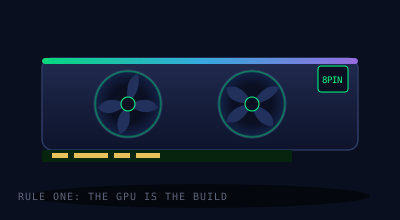
For gaming, the graphics card determines 70–80% of your experience. Everything else exists to keep the GPU fed. A sensible gaming budget puts roughly 35–45% of total spend into the GPU — if your parts list has a mid-tier GPU next to a flagship CPU and RGB everything, the budget is upside down.
Match the GPU to your monitor, not to benchmarks. A 1080p/144Hz display, a 1440p/165Hz display, and a 4K display want very different cards, and paying for 4K performance you'll never display is the most common way builders waste money. Decide the resolution and refresh rate you'll actually play at first, then shop.
CPU: good enough is genuinely good enough
At 1440p and above, most modern mid-range CPUs deliver nearly identical gaming performance because the GPU is the bottleneck. Spend up on the CPU only if you play CPU-bound genres — big simulation and strategy games, heavily modded titles, competitive shooters at very high refresh rates — or if you stream and edit on the same machine. Otherwise, take the mid-range chip and put the difference into the GPU.
One platform note that stays true: check the motherboard socket and chipset against your exact CPU before buying, and check whether the board needs a BIOS update to run newer chips. This single oversight causes more "my new PC won't boot" panics than every other mistake combined.
Memory and storage: cheap wins
- RAM: 32GB is the comfortable standard for a new gaming build; 16GB still works but is increasingly the floor. Buy a two-stick kit (dual channel matters), enable the XMP/EXPO profile in BIOS, and ignore expensive low-latency kits — the gaming difference is a rounding error.
- Storage: one 1–2TB NVMe SSD. Games have outgrown 500GB drives. The difference between a mid-range NVMe drive and the fastest one on the market is seconds of load time; the difference between either and a hard drive is enormous. Never put your OS or games on a spinning drive.
The power supply is not the place to save
A failing budget PSU can take other components with it. Buy from an established brand, at a wattage comfortably above your build's draw (a PSU calculator plus ~30% headroom), with at least an 80+ Gold rating. This usually costs only slightly more than the gamble, and a quality unit will outlive two or three builds.
Cases and cooling: airflow over aesthetics
Any case with a mesh front panel and two or three included fans will cool a mainstream build fine. Glass-fronted cases with no intake look great and run hot. For CPU cooling, mid-range air coolers remain the best value for most builds — quiet, reliable, nothing to leak. Reserve liquid cooling for high-end CPUs or small cases where a big air tower won't fit.
Mistakes every first-time builder makes
- Forgetting the monitor in the budget. A powerful PC on a 60Hz office monitor wastes half its value. Budget the display as part of the build.
- Not enabling XMP/EXPO. Out of the box, your RAM runs slower than what you paid for. It's one BIOS toggle.
- Front-panel connectors. The tiny power-switch pins are the most fiddly step of assembly. Your motherboard manual has the diagram — use it.
- Panic at first boot. New builds often take a minute or more on first power-on (memory training). A black screen for 90 seconds is normal. Reseating RAM fixes the majority of true no-boots.
- Buying "future-proof." Nothing is future-proof; hardware two tiers up buys you maybe two extra years at heavy cost. Buy for the games you play now and upgrade the GPU mid-life instead.
A sane order of operations
Pick your target resolution and refresh rate → choose the GPU tier that drives it → pick a mid-range CPU on a current socket → motherboard that fits it → 32GB dual-channel RAM → 1–2TB NVMe → quality PSU with headroom → mesh case with an adequate cooler. Assemble outside the case on the motherboard box first to verify it boots, then install. Take your time on cable management; take none on RGB software.